
Google Workspace Flows
I'm optimistic that it might be awesome one day

I have been waiting months for Google Workspace Flows to be released. As a google workspace company, it promised automation and AI extraction and I had dreams of automating tasks and setting off chain actions.
In short: It might happen one day, but the launch of workspace flows is underwhelming.
What is workspace flows? Workspace Flows is a Google Workspace feature that uses AI to automate multi-step tasks across different apps, like Gmail, Docs, and Sheets, by creating custom “agents.”
The best tutorial for what it is and how to use it that I found was by Stéphane Giron, in this article. It’s so great that I won’t attempt to duplicate the explanations. Inspired, I went to try my first automation.
I like to start super simple:
”Alert me when anyone edits this document.” You can do it manually or by using Gemini- Google’s LLM. So I tried it first but got an error message.
Ok, so let’s try manually:
I hit the blue button on the left. On the right are starter prompts.
Choose When a File is Edited. Select the file
For Step 2, find “Summarize” and drag it to the actions. Select Content of a doc under what to summarize.
It makes you select the document again (sigh)
Then you give additional instructions to Gemini on what to summarize. This is your prompt. For this document, I kept it simple, “Summarize the key changes in this document version. Key changes will always be on the first page.”
Next, you choose how you want Google to tell you to do this. So I asked it to Notify me in chat. The very cool thing you can do here is give it a test run. You will know if the bot works right away. Or if you need to tweak.
Ok, so that worked. I had one other test that was successful as well- Notify me of a form input.
Note: For both this and the document notify me- I am not the owner, just the editor, so I don’t get google notifications. This is a way to ensure I do!
This couldn’t have been easier, so I’m just going to screenshot:
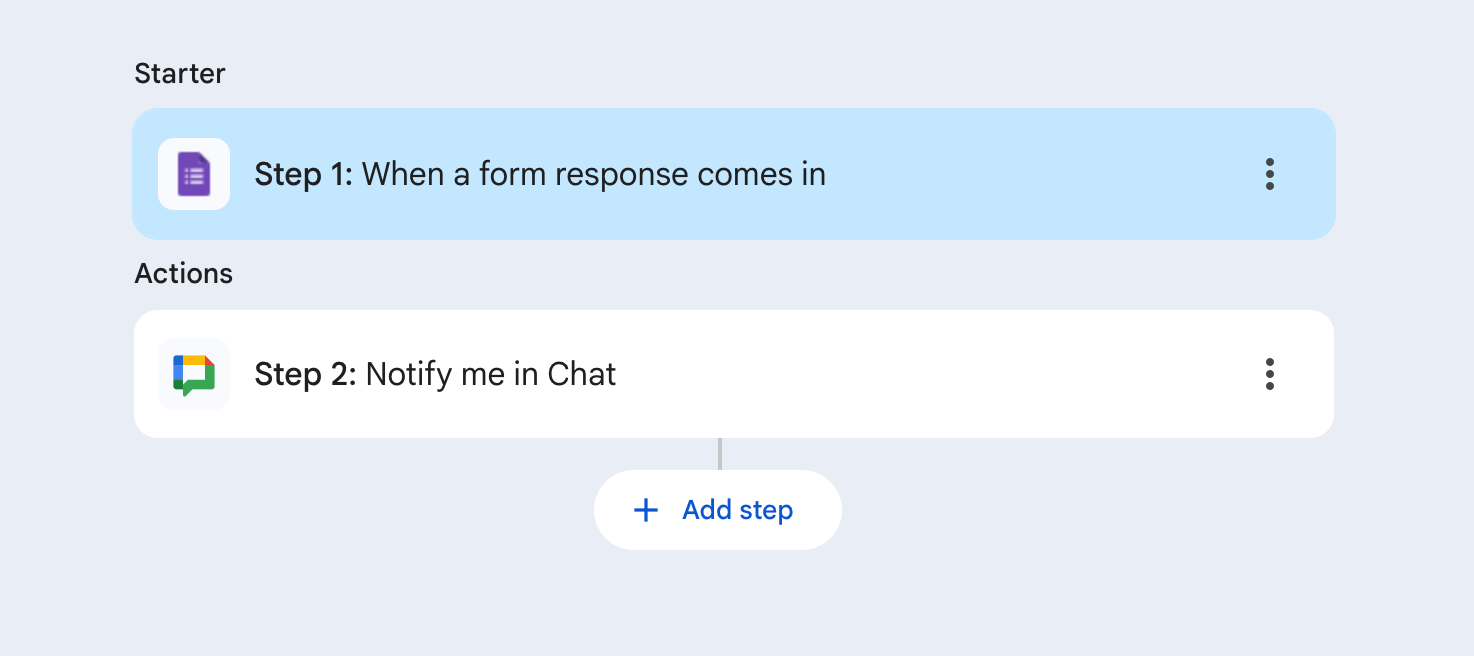
That’s it. I just put the link to the form and it worked!
Here’s my learning- you can ONLY use these starter prompts. If you want to do something by some of the other triggers you see in examples (like “star an email)…. you will just have to wait. Can’t do it now. Blargh!!!!!
So these two things worked, BUT I tried several things that didn’t. My dreams of task automation by starring an email were crushed- its just not a starter prompt available- yet. Right now, you are limited to these options:
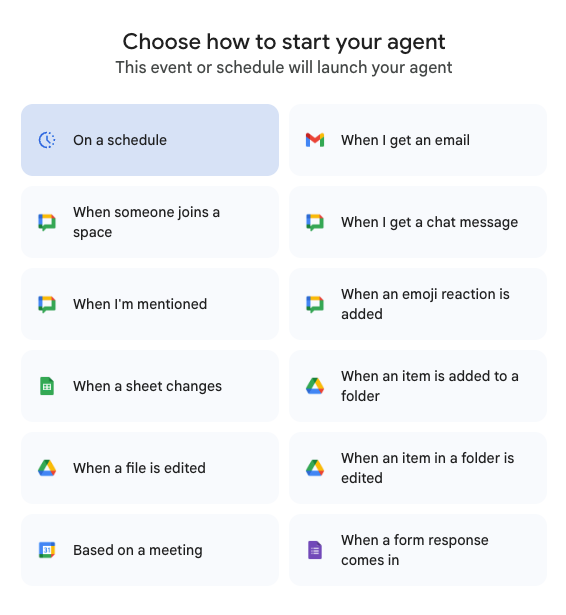
Don’t get me wrong- its a good start. But when you click through actions, there are so many more options available. I am hoping that as workflows progress, those options will be able to be the Starter options of the future.
I’d really love to hear about any workflows you have created- comment below or send me a ping!